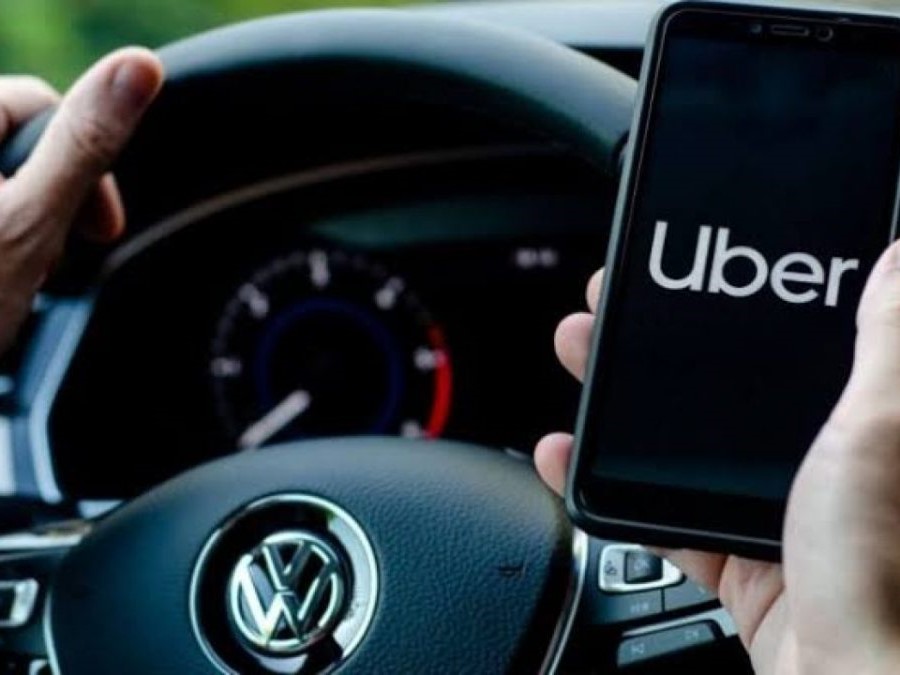
Uber on CarPlay is a feature that allows Uber drivers to access the Uber Driver app directly from their car’s infotainment system. This integration provides a more seamless experience for drivers, as they can now use the app without having to fumble with their phones while driving. CarPlay is Apple’s solution for integrating iOS devices with a car’s infotainment system. It allows drivers to access their iPhone’s apps and features on the car’s touchscreen display.
With the Uber Driver app on CarPlay, drivers can accept or reject ride requests, navigate to their destinations, and communicate with riders using the car’s built-in microphone and speakers. The app also provides real-time traffic updates, so drivers can avoid traffic jams and get to their destinations faster. Additionally, the app’s interface has been optimized for CarPlay, making it easier to use while driving.
The integration of Uber Driver app with CarPlay is a significant step towards improving safety on the road. By allowing drivers to access the app without having to take their eyes off the road, it reduces the risk of distracted driving and helps ensure that both drivers and riders arrive at their destinations safely.
Uber on CarPlay
Overview of Integration with CarPlay
Uber has integrated its driver app with Apple CarPlay, allowing drivers with iPhones to use the Uber app directly from their car’s dashboard. This integration was announced in February 2023 and has been available since then. To use the Uber app on CarPlay, drivers must connect their iPhone to their car’s screen either wirelessly or through a cable. CarPlay should launch automatically when the driver starts their car. If not, they can choose it from the main menu on their phone.
User Experience on CarPlay
When using the Uber app on CarPlay, drivers will see a bigger version of the app, with a new design combining Surge and Earnings Heatmap showing where earnings are estimated to be highest, all in one view. This design makes it easier for drivers to find and select the best rides.
Drivers can also use Siri to interact with the Uber app on CarPlay. This means they can ask Siri to find a ride, get directions to a pickup location, or even cancel a ride. This feature makes it easier for drivers to use the Uber app while keeping their eyes on the road.
Benefits of Using Uber on CarPlay
The integration of Uber with CarPlay provides several benefits for drivers. First, it makes it easier for drivers to use the Uber app while driving. They can access the app without having to take their eyes off the road, which improves safety. Second, the new design of the app on CarPlay makes it easier for drivers to find and select the best rides, which can lead to higher earnings. Finally, the integration with Siri means that drivers can interact with the app using voice commands, which makes it even easier to use while driving.
Overall, the integration of Uber with CarPlay provides a more convenient and safer way for drivers to use the Uber app while on the road.
Features of Uber on CarPlay
Detailed Explanation of Features
Uber on CarPlay provides drivers with a seamless experience that allows them to focus on the road while staying connected to the Uber app. The app is designed to work with the CarPlay dashboard, which means that drivers can access all the features of the Uber app without taking their eyes off the road.
The Uber app on CarPlay includes a variety of features that drivers can use to manage their rides. For example, drivers can view their trip history, check their earnings, and access the navigation system. They can also accept or decline ride requests, and communicate with riders using the in-app messaging system.
One of the most useful features of Uber on CarPlay is the ability to view the earnings heatmap. This feature allows drivers to see where the highest demand for rides is, which can help them maximize their earnings. The earnings heatmap is displayed on the CarPlay dashboard, so drivers can easily see where the hotspots are without having to look at their phone.
User Experience Comparison
Compared to using the Uber app on a smartphone, using Uber on CarPlay provides a more streamlined and safer experience. Drivers can access all the features of the app without having to take their eyes off the road, which reduces the risk of accidents. The larger screen of the CarPlay dashboard also makes it easier for drivers to read and interact with the app.
Another advantage of using Uber on CarPlay is that it allows drivers to stay connected to the app even if their phone is not within reach. This means that drivers can accept ride requests and communicate with riders even if their phone is in their pocket or bag.
Tips and Tricks
To get the most out of Uber on CarPlay, drivers should make sure that their iPhone is connected to their car’s screen either wirelessly or through a cable. CarPlay should launch automatically when the driver starts their car. If it doesn’t, the driver can choose it from the main menu on their phone.
Drivers can also customize the CarPlay dashboard to display the features they use most frequently. For example, they can move the earnings heatmap to the top of the screen so that it’s easy to see at a glance.
Overall, Uber on CarPlay provides drivers with a safe and convenient way to manage their rides while on the road. With its intuitive interface and useful features, it’s no wonder that more and more drivers are choosing to use Uber on CarPlay.
Future of Uber on CarPlay
Potential Future Developments
As technology continues to advance, Uber on CarPlay has the potential to offer even more features and capabilities. One potential future development is the incorporation of augmented reality (AR) technology. With AR, drivers could see virtual directions and information overlaid onto the real world, making navigation even easier and safer. Additionally, Uber could integrate voice assistants like Siri or Alexa to allow drivers to interact with the app hands-free.
Another potential development is the integration of biometric authentication technology. This would allow drivers to securely log in to the app using their fingerprint or face recognition, adding an extra layer of security to the platform. Furthermore, Uber could explore the use of artificial intelligence (AI) to optimize routes and predict demand, providing drivers with even more efficient and profitable trips.
Technology Integration Trend
The trend towards technology integration is only set to continue, and Uber on CarPlay is no exception. As more and more cars become connected, Uber has the opportunity to integrate with car manufacturers to offer a seamless ride-hailing experience. For example, drivers could receive ride requests directly through their car’s dashboard, eliminating the need to look at their phone.
Furthermore, the rise of electric and autonomous vehicles presents new opportunities for Uber on CarPlay. As electric cars become more prevalent, Uber could integrate with charging stations to help drivers find and navigate to the nearest charging point. Additionally, as autonomous vehicles become more common, Uber could offer autonomous ride-hailing services through CarPlay.
Evolution and Impact
As Uber on CarPlay continues to evolve, it has the potential to significantly impact the ride-hailing industry. By offering a seamless, hands-free experience, drivers may be more likely to choose Uber over competitors. Additionally, the integration of new technologies could help Uber attract and retain drivers, leading to a more stable and reliable platform for riders.
Overall, the future of Uber on CarPlay is exciting and full of potential. As technology continues to advance, Uber has the opportunity to offer even more features and capabilities to drivers and riders alike. By staying at the forefront of technology integration, Uber can continue to provide a top-notch ride-hailing experience for all.
Conclusion
In conclusion, Uber’s integration with Apple CarPlay has made it easier for drivers to use the app while on the road. With CarPlay, drivers can access the app’s features directly from their car’s dashboard, eliminating the need to fumble with their phone while driving.
One of the biggest advantages of using Uber on CarPlay is that it allows drivers to stay focused on the road. By displaying the app’s interface on the car’s screen, drivers can keep their eyes on the road while still being able to view important information such as ride requests and directions.
Another benefit of using Uber on CarPlay is that it provides a more seamless experience for drivers. By integrating with the car’s built-in display, drivers can easily navigate the app’s interface using the car’s touchscreen or voice commands.
Overall, the integration of Uber with Apple CarPlay has been a positive development for drivers. It has made the app more accessible and easier to use while on the road, and has helped to improve safety by reducing distractions while driving.
Frequently Asked Questions
How can I troubleshoot Uber not working on Apple CarPlay?
If you experience issues with Uber not working on Apple CarPlay, there are a few steps you can take to troubleshoot the problem. First, ensure that your iPhone is updated to the latest version of iOS and that your car’s infotainment system is updated to the latest version of CarPlay. Also, make sure that your iPhone is connected to your car via a certified Lightning cable. If you continue to experience issues, try restarting both your iPhone and your car’s infotainment system. If the problem persists, contact Uber support for further assistance.
What are the steps to use Uber with Apple CarPlay?
To use Uber with Apple CarPlay, first make sure that your iPhone is connected to your car’s infotainment system via a certified Lightning cable. Then, open the Uber Driver app on your iPhone. The app should automatically appear on your car’s infotainment system display. You can now accept trips, navigate to your destination, and communicate with riders directly from your car’s display.
Is it possible to mirror the Uber app on CarPlay?
No, it is not currently possible to mirror the Uber app on CarPlay. However, you can use the Uber Driver app directly from your car’s infotainment system display.
Can you access Lyft through Apple CarPlay?
Yes, you can access Lyft through Apple CarPlay. To use Lyft with CarPlay, download the Lyft app on your iPhone and connect your iPhone to your car’s infotainment system via a certified Lightning cable. The Lyft app should automatically appear on your car’s display.
Which apps are compatible with Apple CarPlay?
Apple CarPlay is compatible with a variety of apps, including navigation apps like Apple Maps and Google Maps, messaging apps like iMessage and WhatsApp, and music apps like Apple Music and Spotify. To see a full list of compatible apps, visit the Apple CarPlay website.
How do I use Apple Maps for navigation with Uber?
To use Apple Maps for navigation with Uber, first make sure that your iPhone is connected to your car’s infotainment system via a certified Lightning cable. Then, open the Uber Driver app on your iPhone and enter your destination. When prompted to choose a navigation app, select Apple Maps. The app should automatically appear on your car’s infotainment system display, allowing you to navigate to your destination.